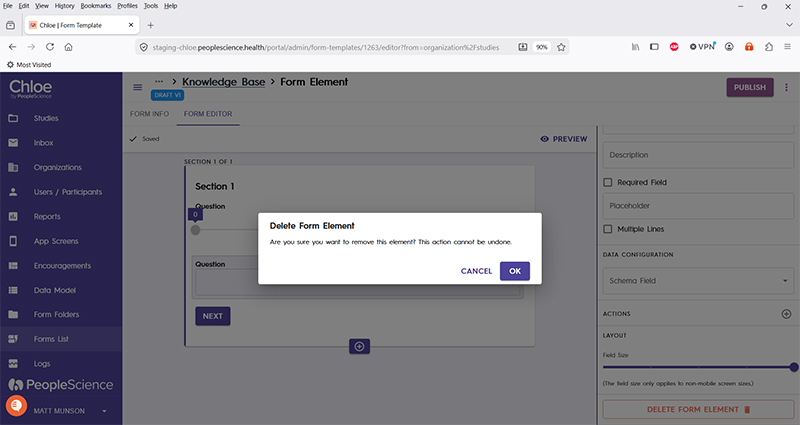
Form Element - Delete Form Element
Last updated: July 8, 2026
When building forms and using Form Elements, each element type has a few configuration settings that are common to all Elements. Delete Form Element is one of them.
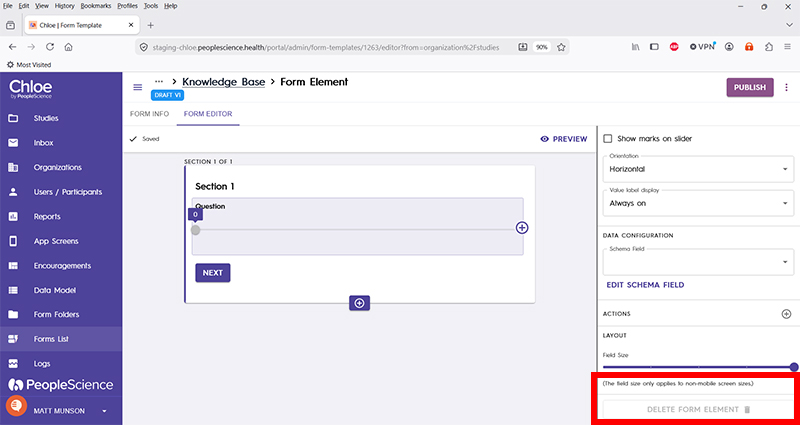
Pro-Tip: A Form Section must have at least one Form Element. It can have more than one, but it cannot have zero. If you find the Delete Form Element button is greyed out, it is because the selected Form Element is the only one in the current Form Section.
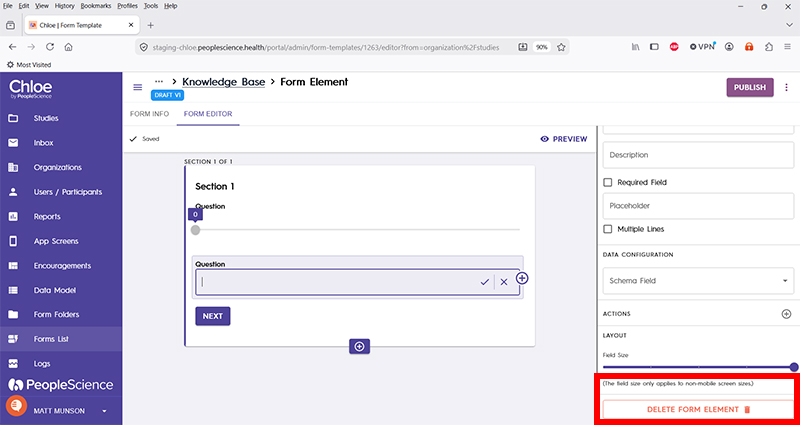
The Delete Form Element button can be found at the very bottom of the configuration pane of the selected Element.
To delete a Form Element, select the element you wish to delete, then press the Delete Form Element button.
Chloe will ask you to confirm the command before executing it.