Study Randomization
Last updated: September 25, 2025
What the Randomization Feature Does
Chloe’s Study Randomization allows you to assign each new participant to a blinded study arm according to the weighting you define (e.g., 50% / 50%, 40% / 40% / 20%).
Benefit | Why it matters |
Even allocation | Preserves statistical power and balance across arms. |
Audit‑ready transparency | Allocation history is logged and exportable. |
Low maintenance | One‑time set‑up; Chloe handles every subsequent assignment. |
How the Algorithm Works (Under the Hood)
You set the rules first – Tell Chloe what your study groups are called and what share of participants each one should get.
Click “Randomize” on a participant – That’s the only manual step you do for each enrollee.
Chloe checks the scoreboard – It counts how many people are already sitting in each group.
Is any group still under its target? – If so, the participant goes into the first group that’s still short of its quota.
Everyone perfectly balanced? – When all groups are exactly on target, Chloe “rolls digital dice” (a built‑in random‑number generator) to pick a group. This keeps the order unpredictable and prevents anyone from guessing the next assignment.
Because Chloe re‑checks the balance each time you randomize, you don’t have to know in advance how many people will ultimately join the study—the allocation stays fair whether you end up with 30 participants or 3,000.
The choice is stamped in the log – The participant’s record shows the group, the time, and who clicked Randomize.
Illustrative Examples
50 % / 50 % Study (A vs B)
Participant | A count | B count | Chloe assigns to... | Rationale |
1 | 0 | 0 | B | Both at 0%; RNG breaks tie. |
2 | 0 | 1 | A | A % < 50 %; B % = 50 %. |
3 | 1 | 1 | A | Both at 50%; RNG breaks tie. |
4 | 2 | 1 | B | B % < A %. |
Enabling Randomization in Your Study
Step | Action | Notes |
1 | Navigate to Study Info under your preferred study. | Must be done before recruiting live participants. |
2 | Click Enable Randomization | Feature is disabled by default. |
3 | Create blinded groups | Name each arm (e.g., Placebo, Low Dose, High Dose). If this is a double-blind study, name the groups a blinded name and have an unblinded member of your team hold the key (e.g., Group A = Placebo, Group B = Active Product, etc.) |
4 | Enter weighting (%) | Total must equal 100 %. |
5 | Save changes | Chloe locks the schema once the first non‑tester participant is enrolled. |

Randomizing Participants
Open the participant profile.
Press Randomize (only when Randomization is enabled).
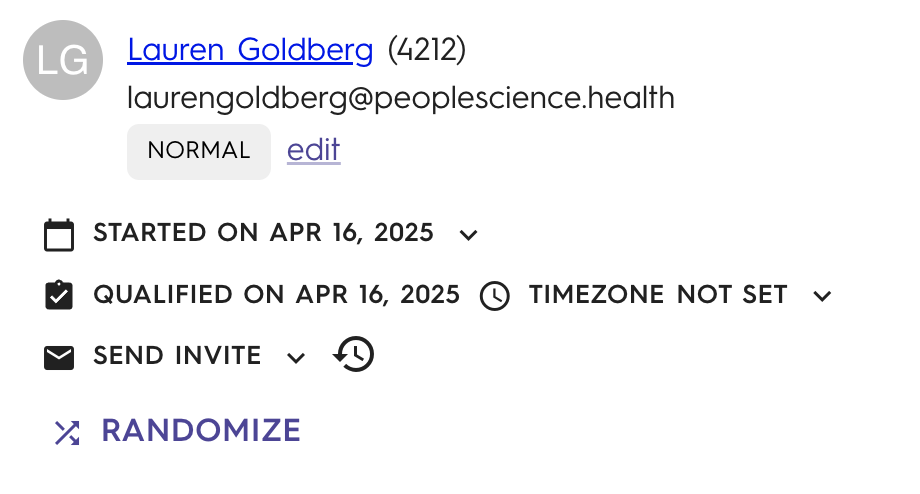
Chloe displays the assigned group immediately.
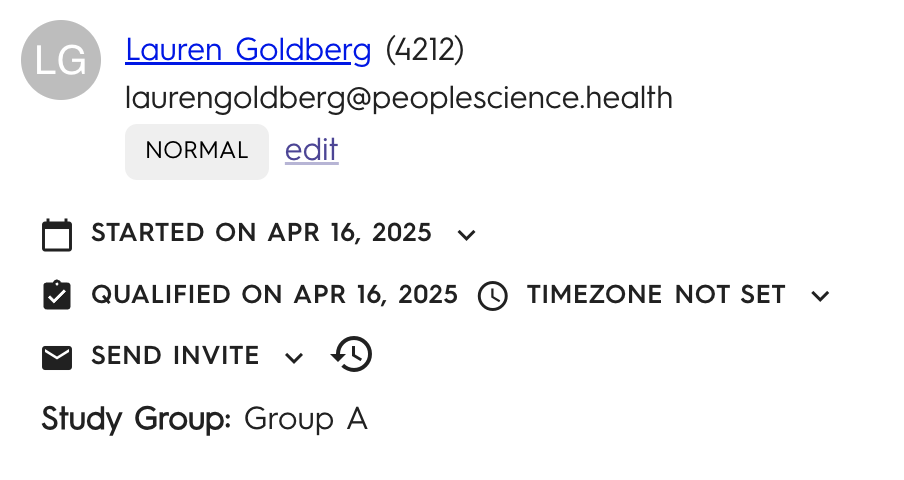
Need to move someone?
You have 48 hours to overwrite or undo an assignment from the participant profile.
After 48 hours the group is locked to protect study integrity.
Best‑Practice Tips
Use testers – Add internal/test participants before or after enabling randomization. Testers will not be factored into your live allocation.
Even batch sizes – For very small total N, consider block sizes that match your weighting (e.g., blocks of 10 for a 40/40/20 study).
Monitor balance – Use Reports to export the live distribution anytime.
FAQ
Question | Answer |
Can I change weights mid‑study? | Not after the first live participant is randomized. This prevents bias. |
Does Chloe support stratified randomization? | Coming soon! For now, monitor the balance and re-allocate as needed within 48 hours of assignment. |
What happens if I disable randomization? | Existing assignments remain; new participants will default to “Unassigned” until randomization is re‑enabled. |