State - Form Element
Last updated: July 8, 2026
Provides a dropdown list pre-populated with abbreviations of all fifty states in the United States of America. Unlike other Form Elements, this one does not require you to define a Schema Field, as the system has done it automatically behind the scenes. A responses from this Form Element is mapped to the Participant Data Model.
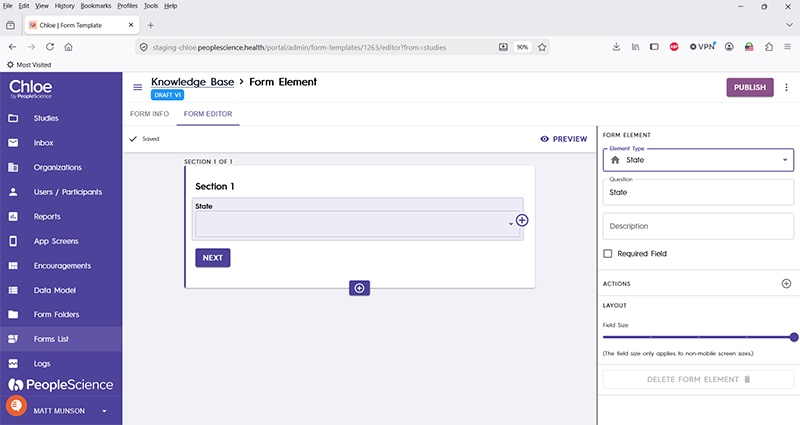
Question | The primary text displayed for this element. Bold by default. Set to "Birth Date" by default. |
Description | Secondary text for this element type. Displayed beneath the "Question" text. Not bold. |
Required Field | Check this to require participant input. Enabling this option will forbid the user from advancing to the next section until a response is made in this Form Element. |
Actions | |
Layout | |
Delete form element |
For an introduction to Form Elements, a complete list of them and articles on how to use them, please visit this article: 📄 Form Elements
For an overview of Schema Fields and how form results look exported click here.