Chloe Admin Portal - Study Screen
Last updated: July 22, 2026
For each study a Chloe Participant is enrolled in, they will find in the My Studies section of the app a Study Card. When a Study Card is clicked on, it presents to the participant a wealth of information about their study, which can include access to uploaded images, saved PDFs, their signed Informed Consent Form, and readouts of data that was collected during the study.
Configuration of that data displayed to participants is done mostly on the Study Screen tab in the Chloe Admin Portal. (note: some is configured in the Study Info screen)
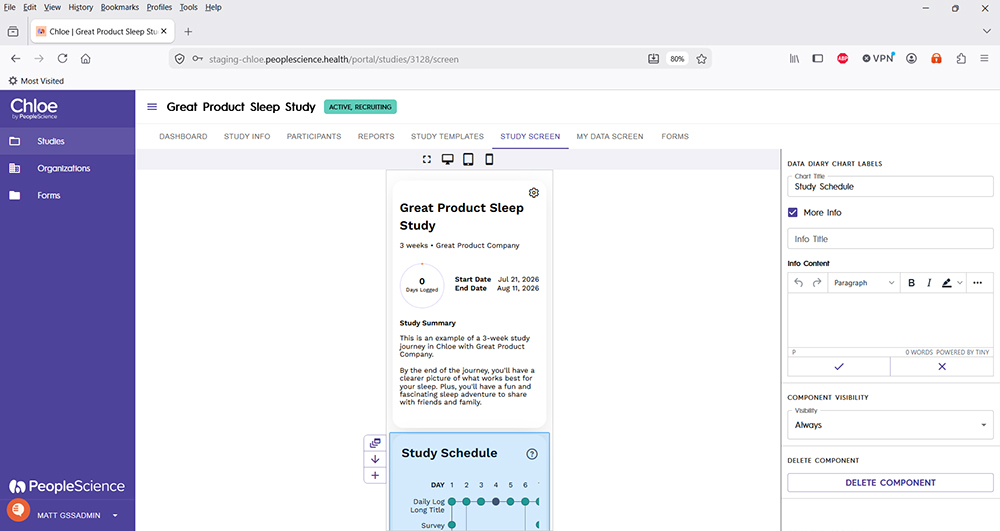
For a detailed tutorial on how to configure Study Cards using the Study Screens tab, please refer to the following article: 📄 My Studies - Participant Data Screen
Details on the Study Info screen can be found here: 📄 Chloe Admin Portal - Study Info
For an overview of all screens available for a study in the Chloe Admin Portal, please refer to this knowledge base article: 📄 Chloe Admin Portal - Overview & Introduction