Sending Email Invitations
Last updated: August 13, 2024
Through the Chloe portal, email invitations can be sent automatically from
no-reply@peoplescience.health. Participants do not need to be pre-existing users to receive an email. Once they sign into their account with the link from their custom invitation they will be automatically added to the study. It is recommended to tell participants which email the invitation is coming from as it will not be affiliated with your organization and to check their spam.
Customize the invitation email in the Study Settings.
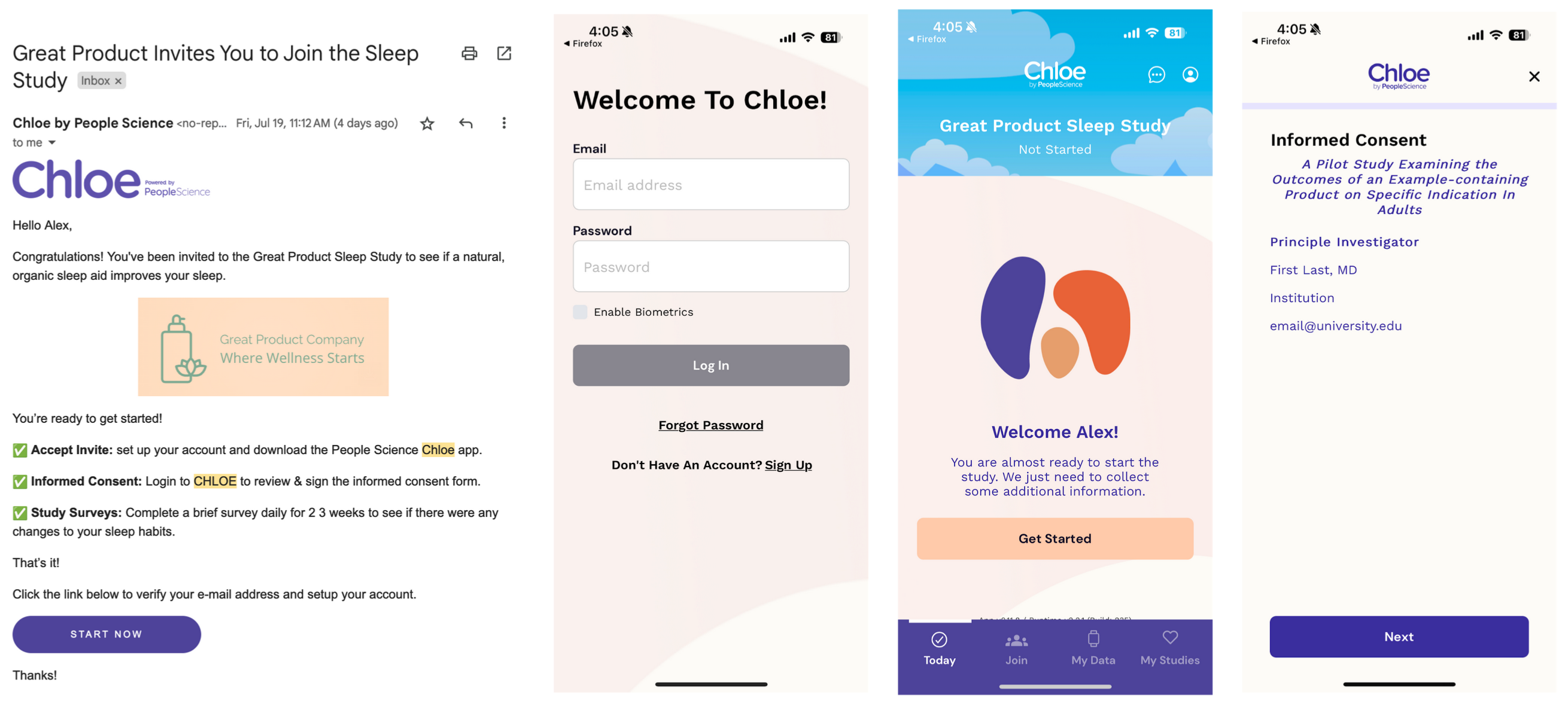
Email User Flow: Open Email Invitation → Sign Into Chloe or make an account with the affiliated email → Click Get Started → Review Informed Consent Form
To mass send email invitations from a pre-existing list or registry, use the csv import template below to add them to Chloe. First name, last name, and email are mandatory. Columns E and F are TRUE / FALSE.
