Notifications
Last updated: July 8, 2025
Participants are required to set up notifications in Chloe. These notifications can only be turned off manually in their mobile device settings. It is recommended to follow up personally with participants who are missing multiple study activities and to reach out in different ways (e.g. email, SMS). You as the sponsor are responsible for all study-related (non-technical) communications with participants.
Push Notifications
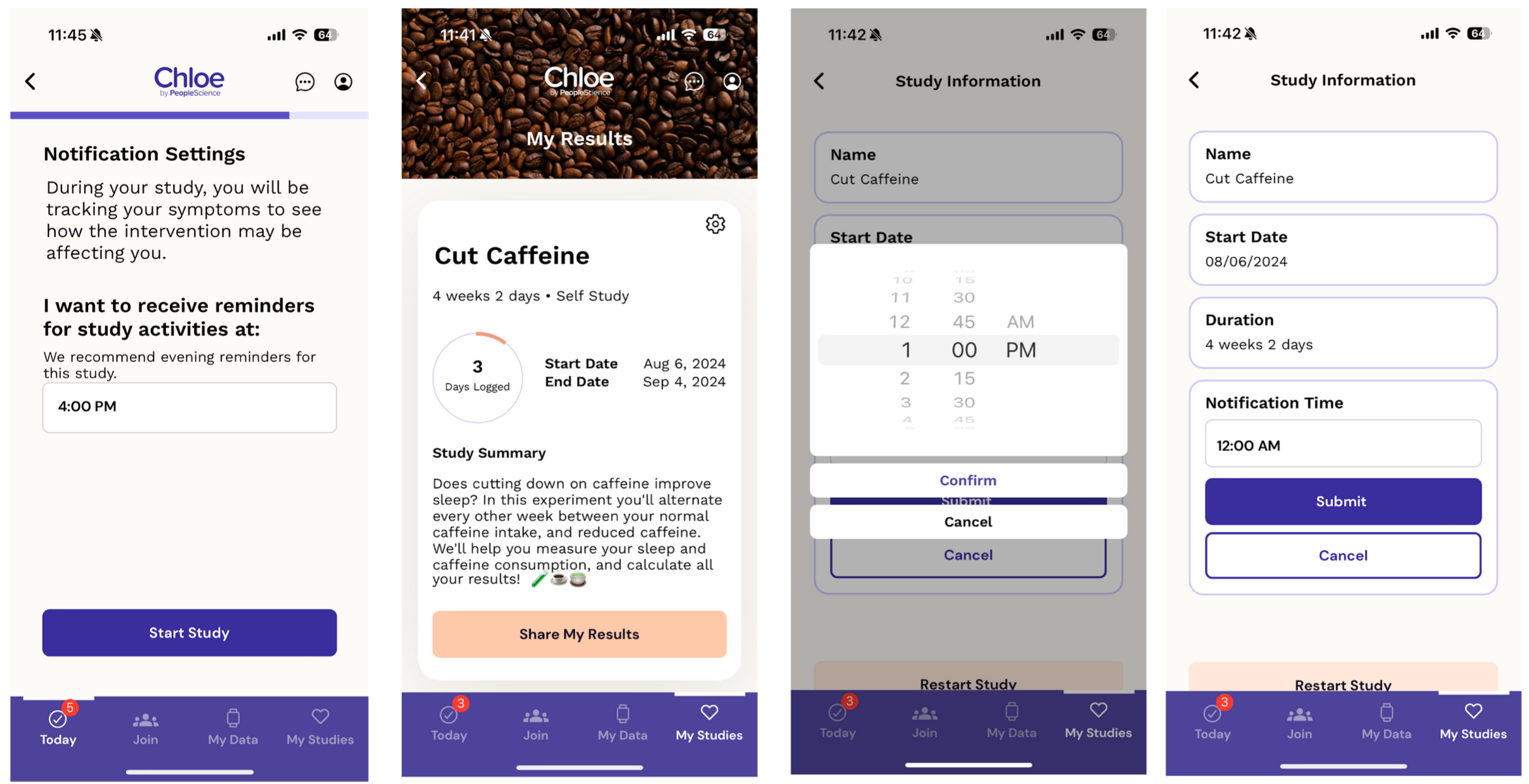
During study intake forms (e.g. informed consent, demographics) users can set their desired time push notifications. Depending on the study product you may want to recommend a notification time (e.g. reminder to take a sleep product at night). Notifications will be at the same time every day that there are study activities. Users can update their notification time by clicking the cog on the My Studies page.
SMS Notifications
Users can opt into SMS notifications at the creation of their Chloe accounts and from their account settings. Sponsors can also enable SMS notifications from the participant profile view in the Chloe Admin Portal.
If users have opted into SMS notifications prior to joining a study (e.g. on an external study/customer mailing list), these permissions can be mass imported into Chloe when adding participants.

If you find the majority of participants are low compliance consider the following:
Are the participant tasks proportionate to the reward?
Is there sufficient time to complete study activities?
Are wearables set up correctly and being worn?
People Science has an 88% average compliance rate with full-service studies. To learn more about how People Science can help improve your study’s data compliance, email accounts@peoplecience.health