Assign Study Template - Form Element
Last updated: July 8, 2026
Use this Element to automatically assign a Study Template to a participant. The Assign Study Template Form Element is essential in managing the workflow of the study at the macro level.
Pro-Tip: Typically the Assign Study Template element is used in one of the final steps of the Informed Consent Form or Intake Form. After the participant has consented and set their notification time, the Assign Study Template will launch them into the study.
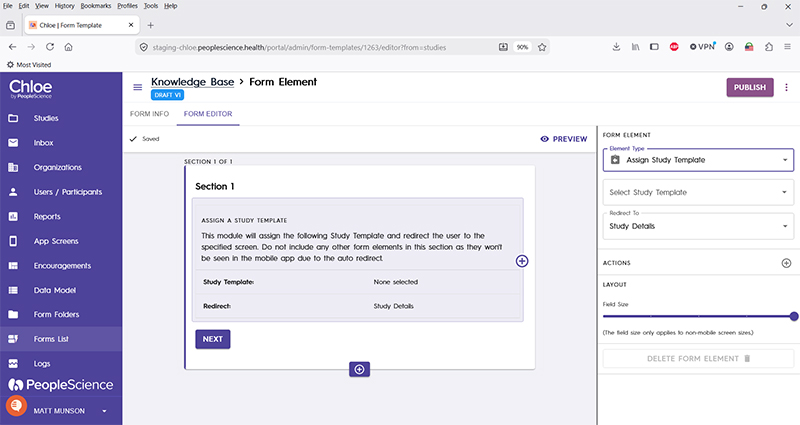
Select Study Template | Select from the drop down list which Study Template you wish to apply upon execution of this Form Element. This drop down will be populated with all of the Study Templates that you have built out for your currently active study. |
Redirect to | Once the study template has been applied to this participant, they will be re-routed to the screen specified by the selection in this drop down. Options include: Study Details Previous Screen Form Template My Data Dashboard My Studies Dashboard Study Coming Soon Today Screen |
Actions | |
Layout | |
Delete form element |
For an introduction to Form Elements, a complete list of them and articles on how to use them, please visit this article: 📄 Form Elements
For an overview of Schema Fields and how form results look exported click here.