Chloe Admin Portal - Dashboard
Last updated: July 22, 2026
The Study Dashboard provides high level information about the health of your study.
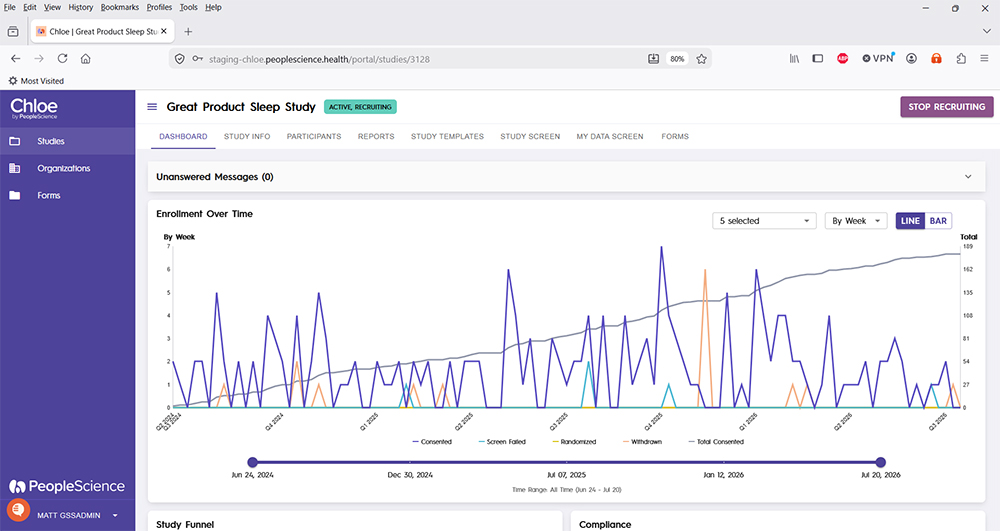
Unanswered messages is only visible to certain account types, such as Study Coordinator and Administrator. It contains a list of all messages sent in by participants that have not yet received responses.
Enrollment Over Time is a graph that depicts inbound participants over the course of the study. You can modify the way data is presented using the options in the upper right hand corner of the graph.
Study Funnel gives information about participants who arrive through your study landing page.
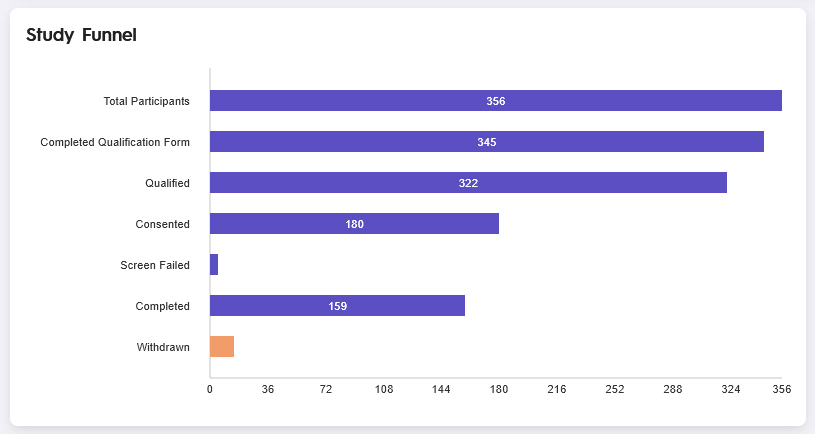
Total Participants: The number of individuals who arrived at your study landing page, entered an email address, and began the qualification questionnaire.
Completed Qualification Form: The number of participants who answered all of the questions on the qualification form, and continued through the process to determine whether they qualified or not.
Qualified: The number of people who successfully qualified for your study, based on the answers the gave in the qualification questionnaire.
Consented: Of those that qualified, the number of participants who went on to create a Chloe account, log in, and complete the Intake Form or Informed Consent Form for your study.
Screen Failed: The number of people who did not pass successfully through the study screening process. Screen failing could be the result of not qualifying, an action performed by the study staff, or a combination of the two.
Completed: Participants who successfully completed the study.
Withdrawn: Participants who were withdrawn from the study. This could be from self withdrawal, or an action from the study staff.
Compliance gives you statistics on your participants form completion percentage, and overall study completion.
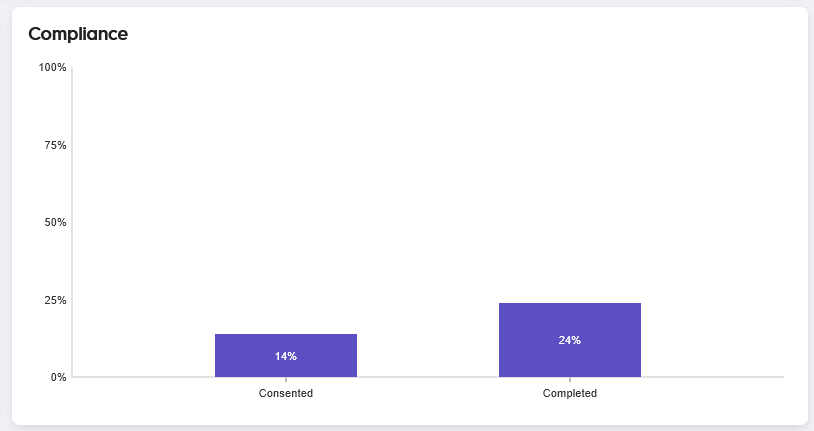
Consented: A percentage value representing the compliance rate of consented, active participants in the study.
Completed: A percentage value representing the compliance rate of participants who have completed the study.
Widgets can be added to the dashboard that allow you to visually surface information collected from participants during the study.

For an overview of all screens available for a study in the Chloe Admin Portal, please refer to this knowledge base article: 📄 Chloe Admin Portal - Overview & Introduction