Chloe Admin Portal - Study Info
Last updated: July 22, 2026
The Study Info page is where detailed study configuration and management takes place.
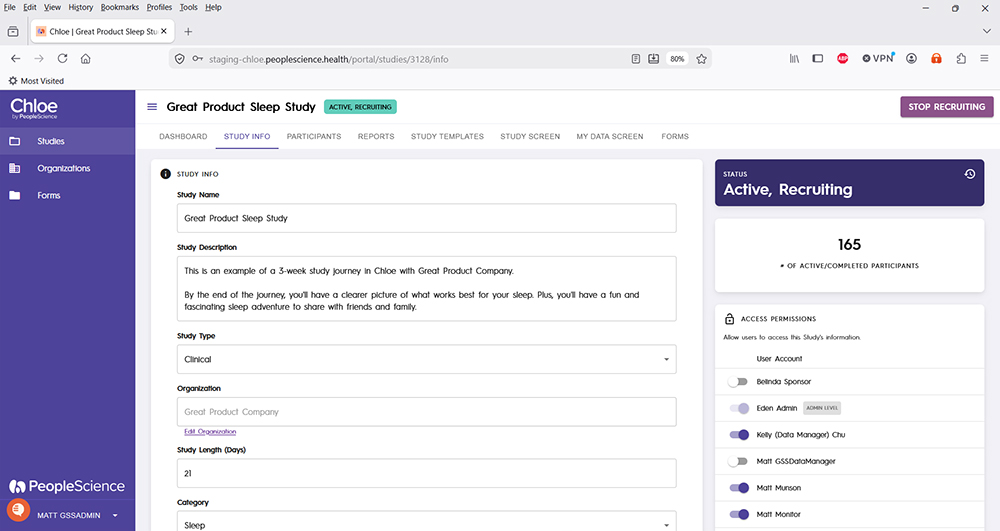
The central pane on this page allows you to configure the following:
General information about your study
Study Landing Page text and graphics
Study Intake Form or Informed Consent Form
Study Qualification Questionnaire
Study welcome email
Study screen fail message
The URL for your study landing page, along with a number of other study configuration options are also on this page.
The right hand pane of this page will provide the following:
Study Status
Number of Active/Completed participants
Access Permissions - displays Chloe Admin Portal accounts and allows you to grant or remove their access.
For a detailed examination of the Study Info page and all of its configuration options, please refer to this article: 📄 Update Study Info
For an overview of all screens available for a study in the Chloe Admin Portal, please refer to this knowledge base article: 📄 Chloe Admin Portal - Overview & Introduction