Multiple Choice, Checkboxes, Dropdowns, Yes/No
Last updated: July 8, 2025
Multiple Choice are a single select multiple choice question.
Dropdowns are a single select multiple choice from a drop down menu. Dropdowns are good when there are many options available (e.g. State). It is recommended to use a manual transition with dropdowns in case users misclick.
Check Boxes allow users to select more than one answer.
Data from multiple choice, check boxes, and dropdowns can be saved in different ways.
List returns the exact choice back, if a user selects Very Much, the value returned in the report would be Very Much.
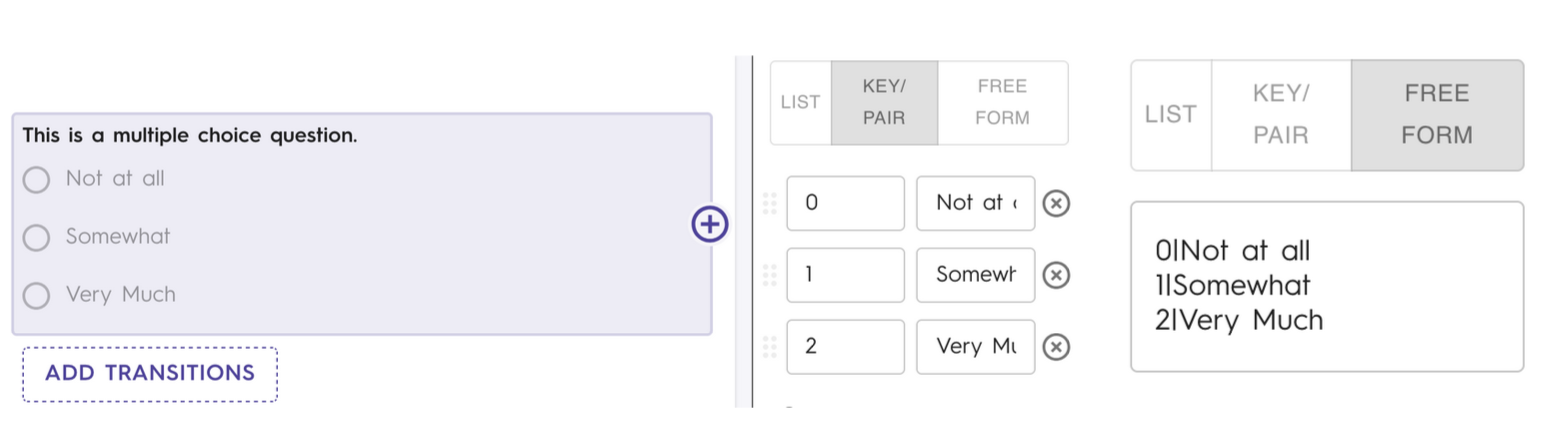
Key Pair allows for the scoring of measures. Each answer is paired with a hidden assigned value that will be returned when pulling reports. In the example below, if a participant selects Very Much, the value returned in the report would be 2.
Free Form functions exactly like key pairs, but instead of the input being sections everything is assigned in a text box.
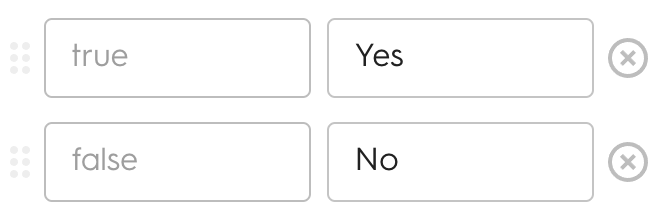
The Yes/No element returns a True/False (boolean) in the Chloe system. How your options appear can be changed in the element editor.