Types of Forms In The Chloe Form Builder
Last updated: August 5, 2026
When first creating a form in Chloe, you are presented with a dialog box that allows you to select from a list of form types. This knowledge base article offers details and insight into what each form type offers, and why it is important to select the target form type at form creation.
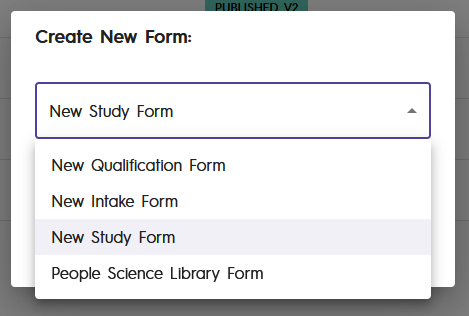
Four options are available on the Create New Form dialog box.
New Qualification Form
New Intake Form
New Study Form
People Science Library Form
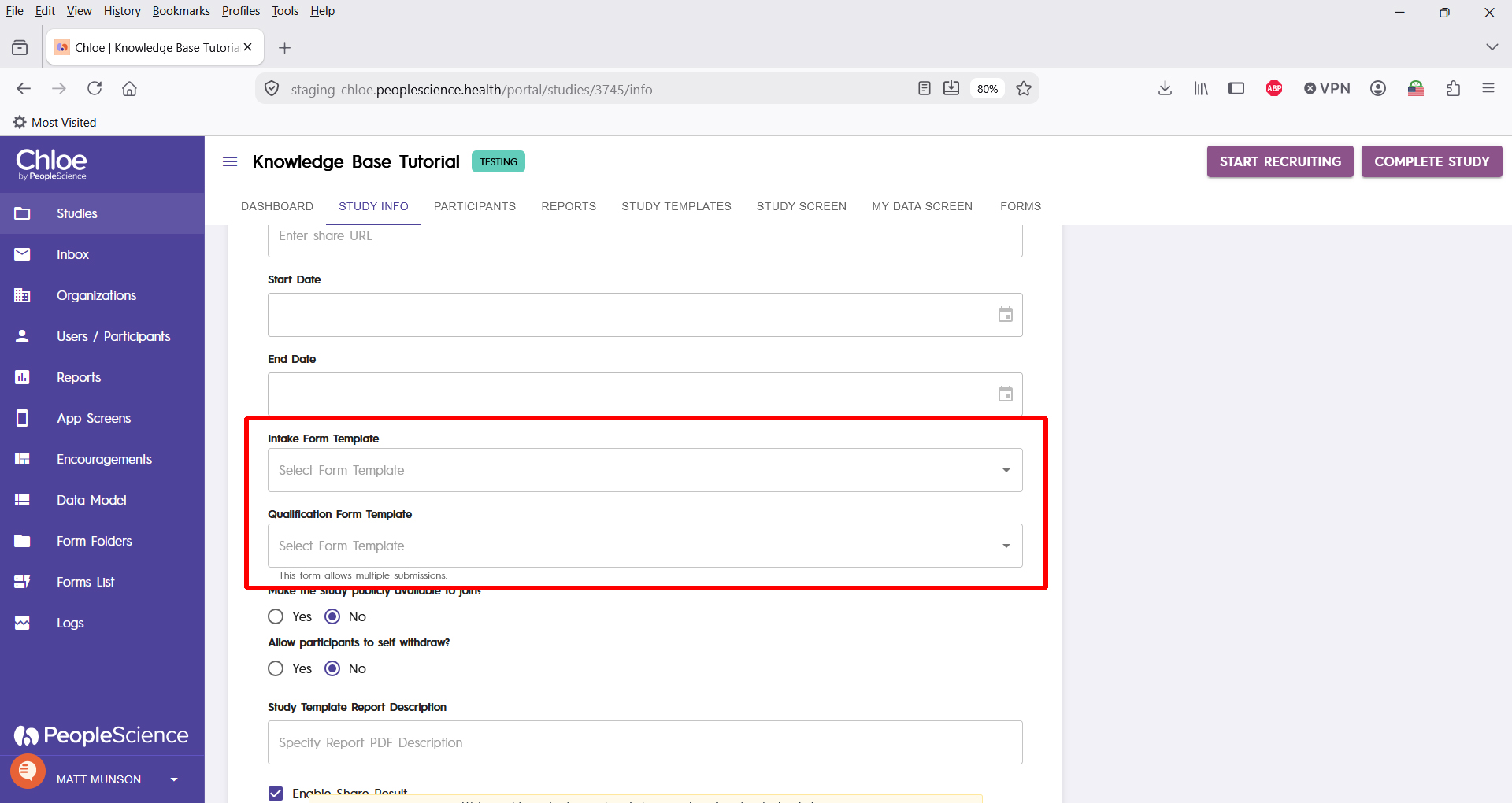
Background: when building and configuring your study, the qualification form and intake form must be configured on the Study Info tab. You select both forms from drop down list. For a form to appear in the proper drop down list, it must be of the correct type. Only forms built using the New Qualification Form option appear in the Qualification Form Template dropdown. Only forms built using the New Intake Form option appear in the Intake Form Template dropdown on the Study Info page.
Pro-Tip: Plan ahead! Once you select a form type and create a form, it cannot be changed.
New Qualification Form
This is a unique type of form that will be used on the study landing page. It typically includes your studies inclusion/exclusion criteria, phrased as questions that a potential participant answers to see if they qualify for the study.
Qualification forms include at least one Qualification Form Element, letting Chloe know whether or not a participant has answered the questionnaire in such a way that they are a good candidate for the study. Most include one section for a qualified participant, and another informing them they are not qualified.
New Intake Form
The common use case for this type of form is your study's Informed Consent Form. This form is unique in that it is not included in a study template, but is instead automatically triggered by Chloe and shown to the participant the first time they log into the study, before they are able to access any study activities. This form is linked to the Get Started button that appears in the mobile app when a recently qualified participant logs into the mobile app.
An intake form is built just like a regular study form, though it typically includes a section that assigns a study template.
Intake forms must include a section that requests a participants preferred notification time.
An Intake Form does not have to be an Informed Consent Form, but an Informed Consent Form must be an Intake Form.
New Study Form
The general purpose study form. This is used to build out any form that is not an Intake Form nor a Qualification Form. Questionnaires, surveys, licensed instruments... anything you want to do to present information to a participant, or capture information from them.
People Science Library Form
Functionally identical to New Study Forms, but different in that they are stored in a central location that can be accessed by any study that can view the library.