Digital Signature - Form Element
Last updated: July 8, 2026
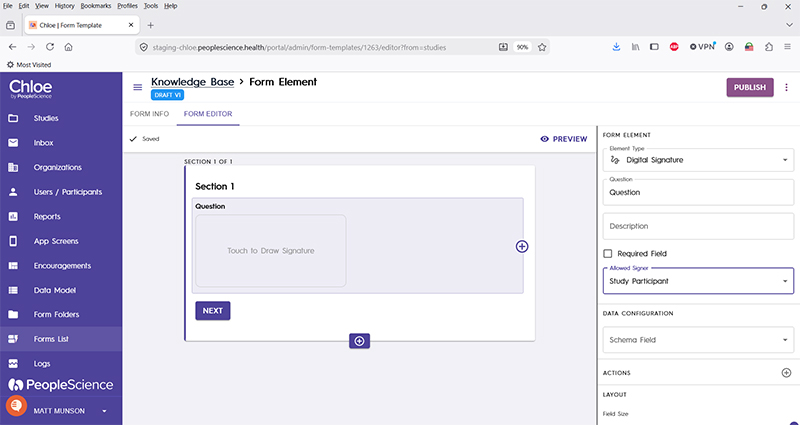
This Form Element is used to capture a signature from a participant, typically for the Informed Consent Form or Intake Form.
Good to Know: Chole does not currently support Legally Authorized Representative (LAR) signatures, thought that functionality is on the product roadmap.
Pro-Tip: A signature page in an ICF typically includes a field for the participant to type in their full name, a signature, and a date picker, set by default to today's date.
Question | The primary text displayed for this element. Bold by default. |
Description | Secondary text for this element type. Displayed beneath the "Question" text. Not bold. |
Required Field | Check this to require participant input. Enabling this option will forbid the user from advancing to the next section until a response is made in this Form Element. |
Allowed Signer | The two options in this drop down are "Study Participant" and "Study Coordinator." Use Study Participant any time you are building and ICF or Intake Form. |
Schema Field | |
Actions | |
Layout | |
Delete form element |
For an introduction to Form Elements, a complete list of them and articles on how to use them, please visit this article: 📄 Form Elements