Chloe Admin Portal - Sponsor View
Last updated: July 22, 2026
When a Chloe User logs into the Chloe Admin Portal using a Sponsor account, their view into the study is different than other, more functional roles, such as a Study Coordinator or an Administrator. This article aims to highlight the unique features and access provided to the Sponsor account.
Pro-Tip: For a full list of account types available in Chloe and their capabilities, please refer to this article: 📄 User Roles & Their Capabilities
The Sponsor account will only see four tabs in a study.
Dashboard
Study Info
Participants
Reports
Dashboard
📄 Chloe Admin Portal - Dashboard
The study Dashboard for Sponsors includes everything a Coordinator or Admin can see, except for the Unanswered Messages pane. Enrollment over time, Study Funnel, Compliance, and any other data widgets that the study team may have configured for the Dashboard will be visible to the Sponsor.
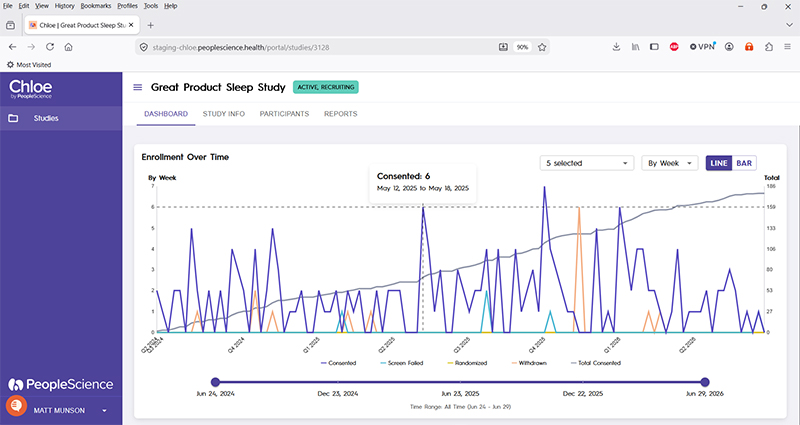
Pro-Tip: it is the responsibility of the study team to ensure that any additional data widgets configured on the Dashboard do not include PII.
Study Info
📄 Chloe Admin Portal - Study Info
The Study Info screen for Sponsors presents the same information and configuration options seen by Coordinators and Admins, thought it is read-only. Study Sponsors cannot modify information on the Study Info page.

Participants
📄 Chloe Admin Portal - Participants
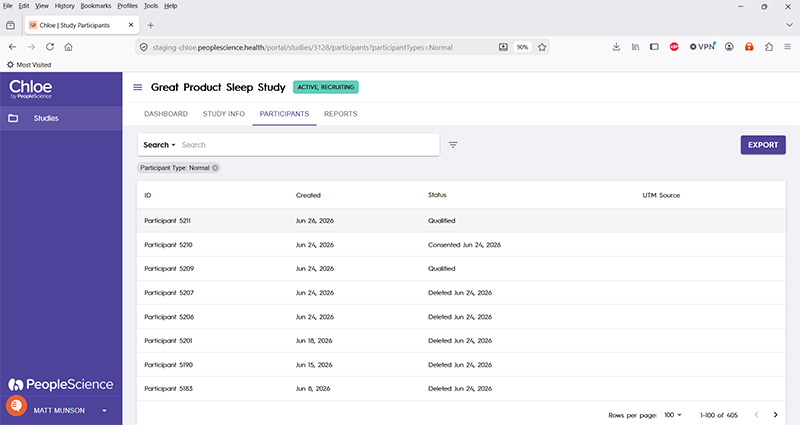
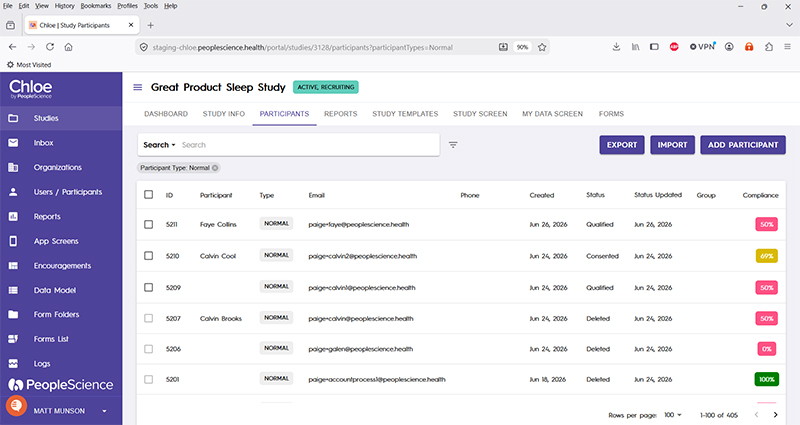
The Participants page offers some significantly different functionality to the Sponsor than other roles in the system. In the Participant list view, the Sponsor will see significantly fewer data fields about each participant, most notably the absence of PII. Sponsors do not have the ability to add participants, nor import a list of participants.
Good to Know: PII stands for Personally Identifiable Information.
It refers to any data that can be used to distinguish, trace, or identify a specific individual, either on its own or when combined with other data
Below is a comparison of the Sponsor view, followed by a Study Coordinator view of the Participants tab.
Coordinator view, for comparison:
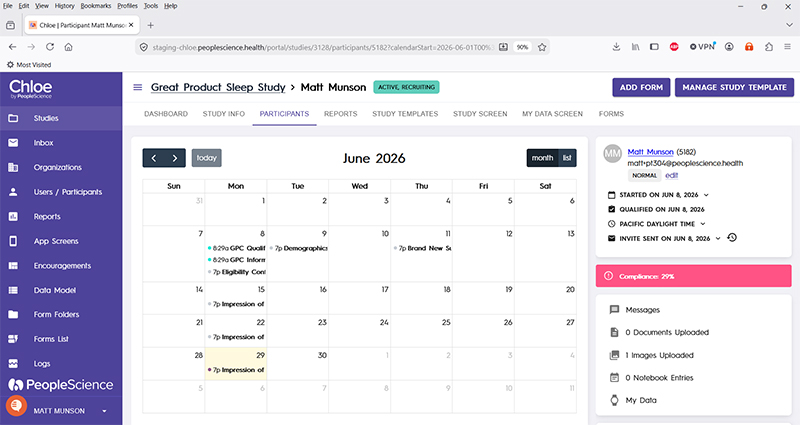
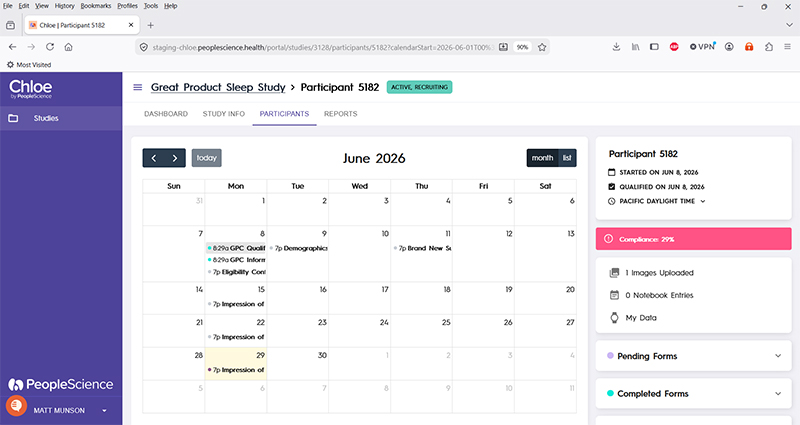
The view of an individual participant profile is also very different for a Sponsor, with the main difference again being the absence of PII.
This Sponsor view of the Participant Profile provides only a participant ID, and removes other information from the view entirely. Messages exchanged between the participant and study staff are not visible to the Sponsor.

Compared to a Coordinator view, where participant information is plentiful.
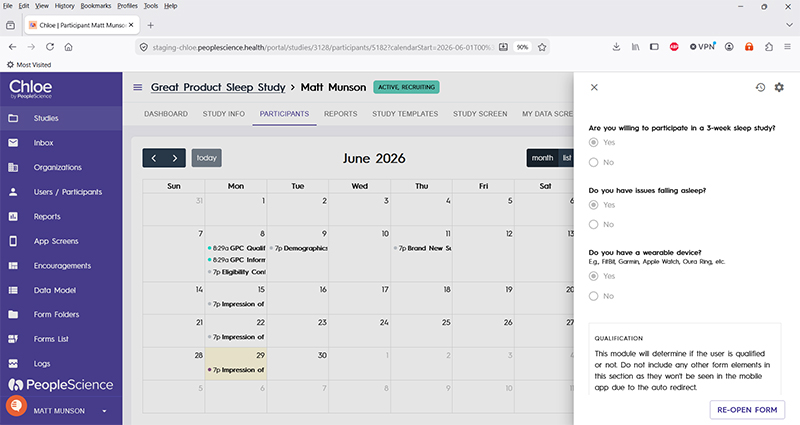
Lastly, the participant profile hides from the Sponsor any data entered into a form, which could possibly include PII. If a Sponsor clicks on an item in the participants schedule of assessments, no further information is revealed.
In this image, the Qualification Form is selected, but no responses are revealed.
Unlike the Coordinator view, which will bring up in a separate panel the responses that the participant entered into the selected questionnaire.
Reports
📄 Chloe Admin Portal - Reports
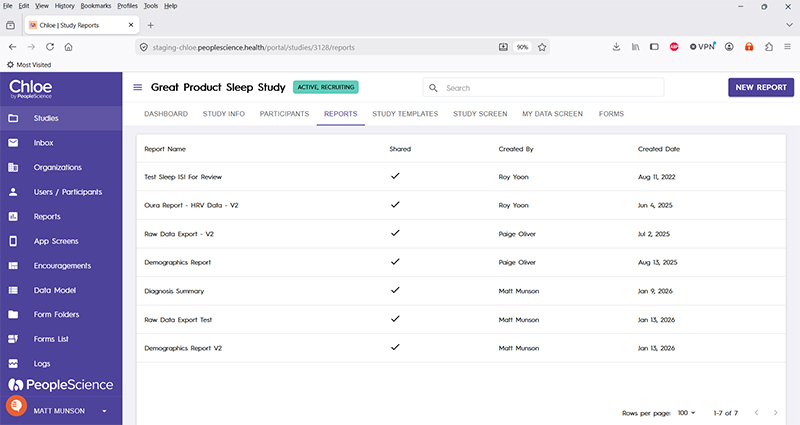
On the Reports screen, Sponsors will only see reports that have explicitly been made visible to them by the author of the report, or an administrator. This can result in a smaller list of reports available to a Sponsor than would be visible to study staff. It is the responsibility of study staff to ensure that data privacy is enacted for any report data revealed to a Sponsor account. Sponsors do no have the ability to create new reports.
Below is the Report screen as seen by a Sponsor:

This is the Report screen for a Coordinator in the same study:
For an overview of all Chloe Account Types and the screens available for a study in the Chloe Admin Portal, please refer to this knowledge base article: 📄 Chloe Admin Portal - Overview & Introduction