Chloe Admin Portal - Reports
Last updated: July 22, 2026
The Reports page is where study staff can access or create reports on study data.
Good To Know: Functionality is role based, meaning not all functionality will be available to all account types. Please refer to this article for a breakdown of roles and their access: 📄 User Roles & Their Capabilities

To access one of the reports in your study, click on the line item you wish to access. Chloe will render the report in real time, using the most up to date, current data available.
Reports can be viewed and used within the Chloe Admin Portal, or can be exported and downloaded as a .csv file. Downloaded files can then be opened in your reporting or data management tool of your choice, such as Excel or Tableau.
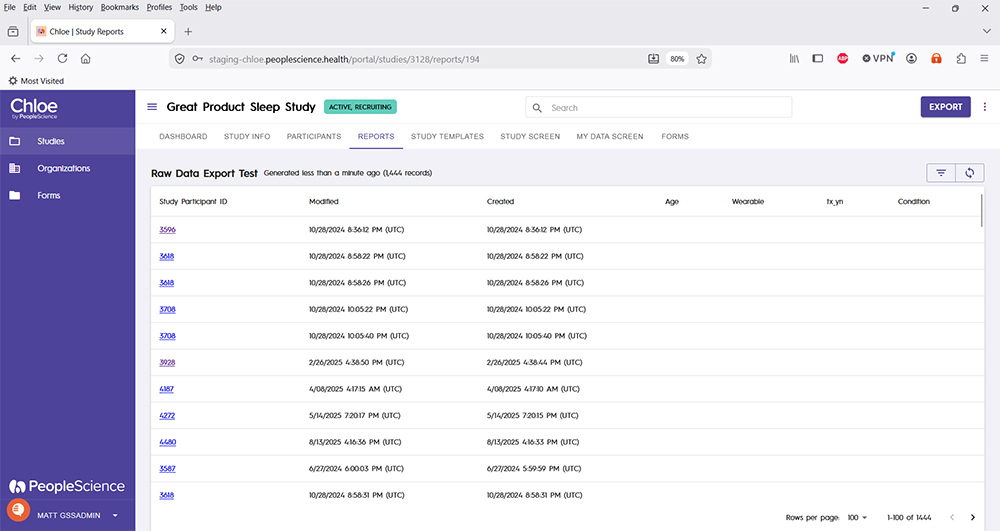
The Export button in the upper right hand corner is available once a report is rendered. You can refresh the report to get any data that was added to the study database since the last rendering of the report, or click the pizza slice icon to modify and/or save the report.
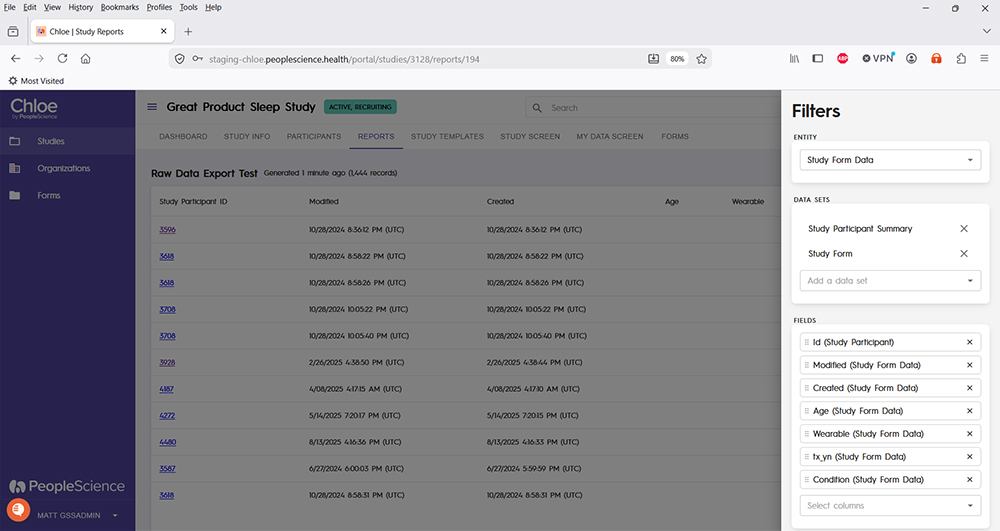
For a thorough tutorial on report exporting, please refer to this article: 📄 Exporting Reports
Tutorial on report building coming soon.
For an overview of all screens available for a study in the Chloe Admin Portal, please refer to this knowledge base article: 📄 Chloe Admin Portal - Overview & Introduction