Wearable - Form Element
Last updated: July 8, 2026
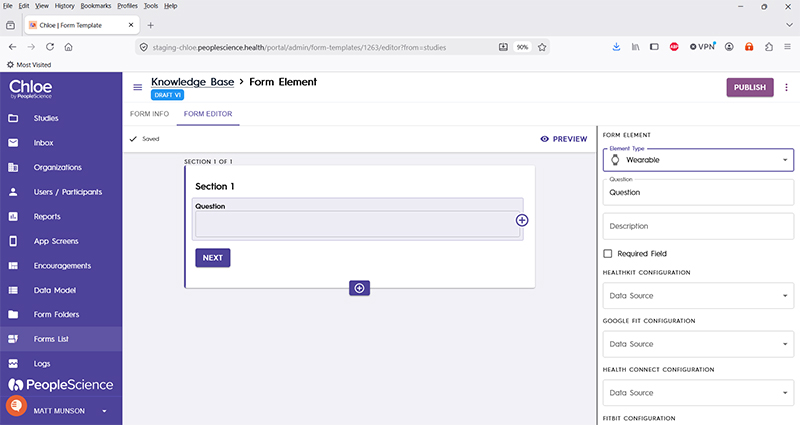
This element serves two purposes. It is first used as a way to let a participant configure their wearable device. Secondly, once the wearable is configured, it is used to display wearable device data to the participant.
Good to know: When your participant first encounters this Form Element, Chloe will provide them with the opportunity to configure their wearable device. Once configured, the Form Element will display the data that it is configured for.
Question | The primary text displayed for this element. Bold by default. |
Description | Secondary text for this element type. Displayed beneath the "Question" text. Not bold. |
Required Field | Check this to require participant input. The section will not allow the user to advance until they input something into this element's field. |
Healthkit Configuration | Select from the list the single data field you wish to collect from this wearable device type. This drop down, and the others for wearable devices, will give a complete listing of all the data points that are available for display and preserving in Chloe. For this Form Element type, you can only choose one. |
Google Fit Configuration | |
Health Connect Configuration | |
Fitbit Configuration | |
Garmin Configuration | |
Oura Configuration | |
Raw Data Configuration | |
Schema Field | |
Actions | |
Layout | |
Delete form element |
For an introduction to Form Elements, a complete list of them and articles on how to use them, please visit this article: 📄 Form Elements