Chloe Admin Portal - Introduction
Last updated: August 5, 2026
The Chloe Admin Portal is the web enabled tool created for Study Staff, PIs, Monitors, Sponsors and all other non-participant roles.
Log in to the Chloe Admin Portal here: https://chloe.peoplescience.health/login
Pro-Tip: The Chloe Admin Portal will present to you different functions and data visibility, depending on what account type you use to log in. For details on the roles available in Chloe and their capabilities, please refer to this article: 📄 User Roles & Their Capabilities
Good to know: The portal consists of two components; the Navigation Pane and the Main Window. For details on the Navigation Pane and its uses, please refer to this knowledge base article: 📄 Chloe Admin Portal - Navigation Pane
After logging in, select a study from the list of studies you have access to.
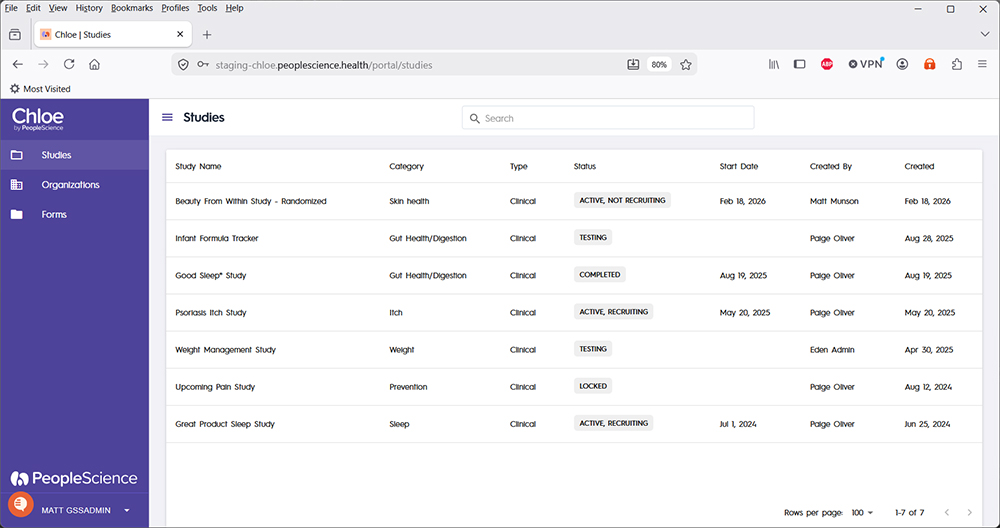
Once a study is selected from the Studies List, you will be taken to the Study Dashboard, and will have access to the other screens for that study.
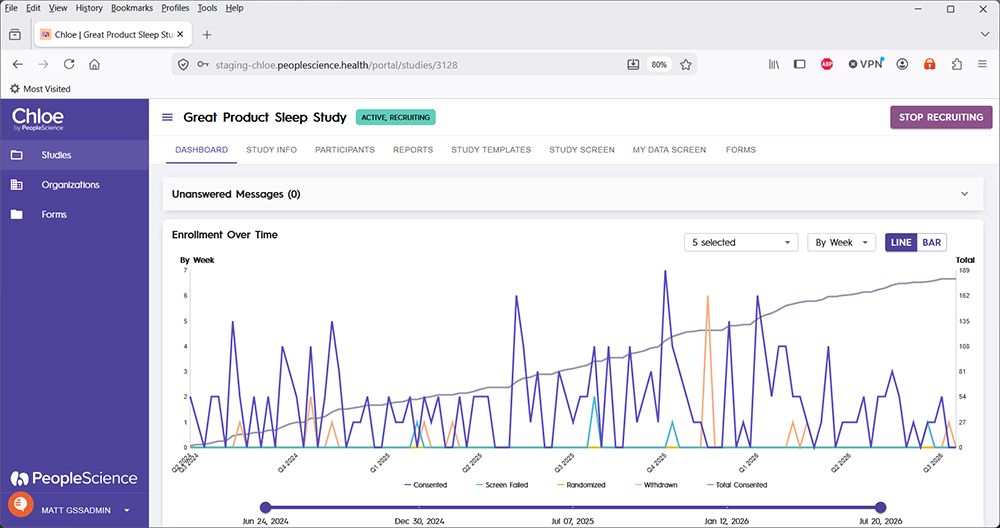
From the Chloe Admin Portal, the following functions can be performed on a selected study:
View study dashboards for high level metrics on study progress
Start, Stop, and Restart recruiting for a study
Close a study
Create, build and configure a new study
Edit, modify or update an existing study build
Create and view reports of study data
View and manage participants and their data
Configure how wearable data will be collected and displayed to a participant
Configure how study data and info will be displayed to a participant
And more!
The following screens are available on the Admin Portal for each study. You may not be able to see them all depending on your account type.
For information on Starting, Pausing, and other statuses for a study, please refer to the following article: 📄 Study Status
To view the screens and capabilities enabled for each Chloe account type, refer to the following articles:
📄 Chloe Admin Portal - Study Coordinator View
📄 Chloe Admin Portal - Administrator View
📄 Chloe Admin Portal - Sponsor View
📄 Chloe Admin Portal - Data Manager View
📄 Chloe Admin Portal - Monitor View
Pro-Tip: People Science recommends using Google Chrome when accessing the Chloe Admin Portal. It is optimized for this browser.