Yes/No (True/False) - Form Element
Last updated: July 8, 2026
The Yes/No form element is a simple way to collect from the participant a yes or no answer to a question. It functions like a simplified version of the 📄 Multiple Choice - Form Element, but is pre-configured for ease of use.
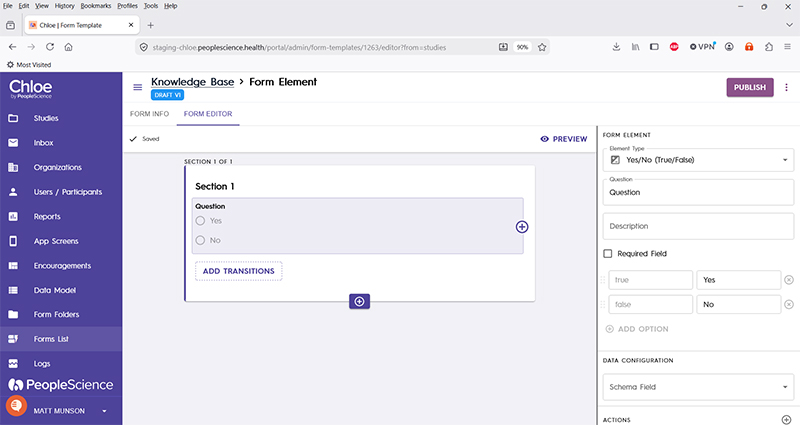
The configuration pane for this element type includes the following options:
Question | The primary text displayed for this element. Bold by default. |
Description | Secondary text for this element type. Displayed beneath the "Question" text. Not bold. |
Required Field | Check this to require participant input. The section will not allow the user to advance until they input something into this element's field. |
True / Yes | "true" is the value that will be written to the study database upon selection of the first item. "Yes" is the text displayed to the participant. The text is editable. |
False / No | "false" is the value that will be written to the study database upon selection of the first item. "No" is the text displayed to the participant. The text is editable. |
+Add Option | This item is disabled. |
Schema Field | |
Actions | |
Layout | |
Delete Form Element |
For an introduction to Form Elements, a complete list of them and articles on how to use them, please visit this article: 📄 Form Elements